
Musio Studio manualChapter 1
Getting started
Install Musio Studio, sign in with your free Musio account, and make your first song.
On this page
Musio Studio is a free music app built around Musio’s instruments. You write and record parts, choose sounds, mix, master and export in one window.
Shortcuts in this manual are shown for a Mac. On Windows and Linux, use Ctrl where a Mac uses CmdCtrl, and Alt for OptionAlt. The switch at the top of each chapter shows the keys for your computer.
Install Musio Studio
Musio Studio comes in the Musio installer, together with Musio Connect and the Musio plugin. Download it at musio.com/download. You don’t need an account to download.
Mac
- Open the Musio installer and follow its steps. It installs Musio Studio, Musio Connect, the standalone Musio app and the Musio plugin.
- Open Musio Studio from your Applications folder. The installer’s last page can also open it for you.
Windows
- Open the Musio installer. Musio Studio is one of its parts, and it’s ticked to install.
- On the last page, choose Open Musio Studio.
If Musio Studio isn’t there after installing, run the installer again and make sure Musio Studio is ticked.
Linux
Unpack the download, then run the installer from that folder:
./install.sh          # just for you
sudo ./install.sh     # for everyone on the computer
The installer adds Musio Studio to your apps menu, with Musio Connect and the standalone Musio app, and a musio-studio command (in ~/.local/bin, or /usr/local/bin for everyone).
To remove Musio, run ./install.sh --uninstall. Your sounds, songs and settings are never removed.
Musio Connect
Musio Connect is installed with Musio Studio and runs in the background. It signs you in, and it downloads and updates your sounds and mics. Musio Studio and the Musio plugin both use it, and they share the same sounds.
- Musio Studio needs Musio Connect running to load sounds.
- Closing Musio Connect’s window keeps it running.
- To open it, choose Musio > Open Musio Connect.
While Musio Connect loads or downloads sounds, the sidebar says so, for example Downloading 3 sounds and mics.
Sign in
A Musio account is free. The first time Musio Studio opens, it asks you to sign in so you can play your instruments.
- Choose Create an account or Sign in. Both open musio.com in your browser.
- Finish there. Musio Studio signs in by itself when you’re done.
You can also choose Use your email and password here to sign in inside Studio, or Forgot your password? to reset it. Not now skips this step. You can sign in later with Sign in to Musio in the sidebar.
Home
Musio Studio opens on Home. From Home you can:
- pick up a recent song under Continue;
- start a Blank song;
- start from a template;
- choose Import MIDI… to make a new song from a MIDI file, with a Musio sound for every part;
- listen to and open pieces under Made with Musio.
The next time you open Musio Studio, it reopens the song you were working on.
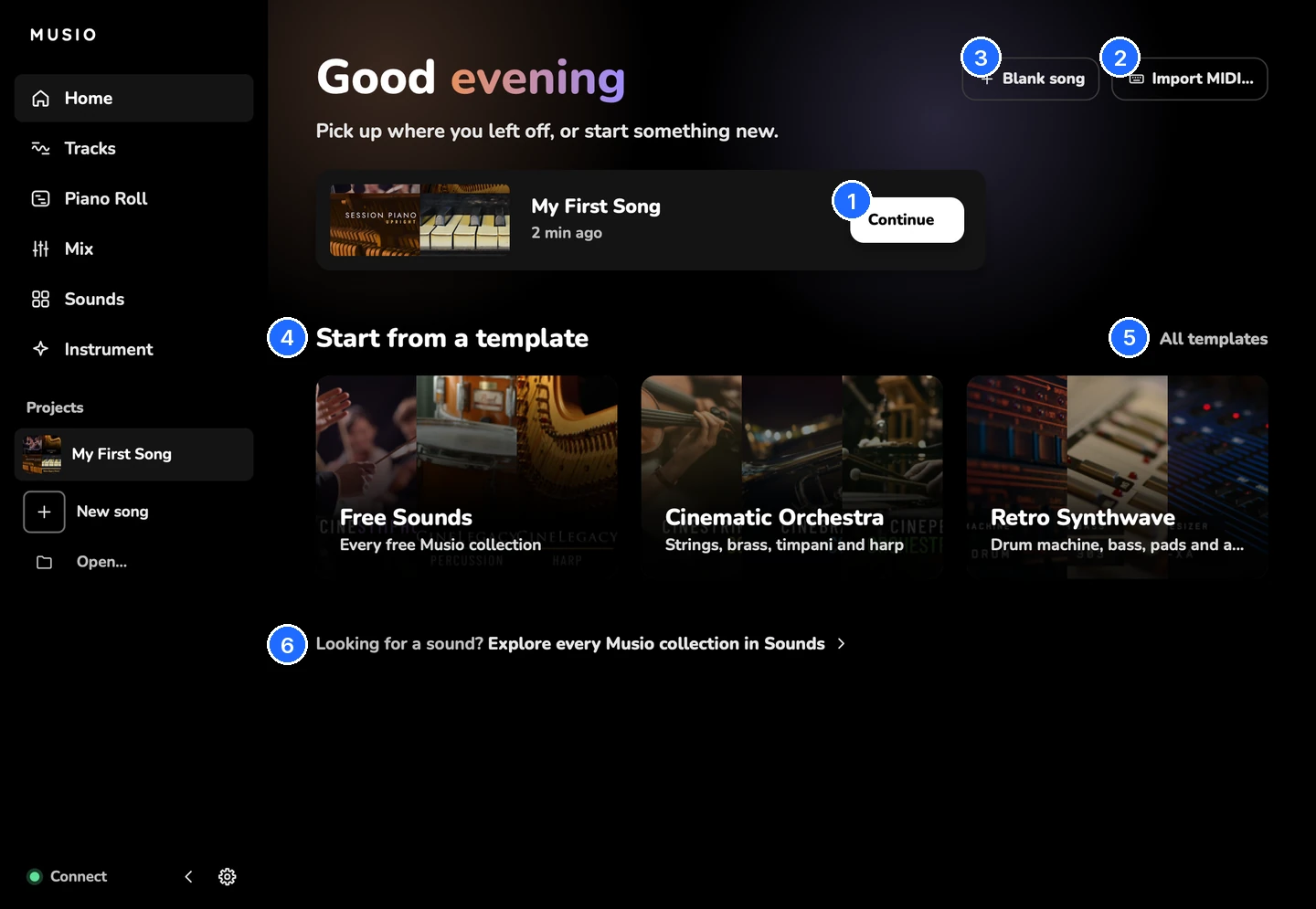
- Continue
- Import MIDI...
- Blank song
- Start from a template
- All templates
- Looking for a sound? Explore every Musio collection in Sounds
Start from a template
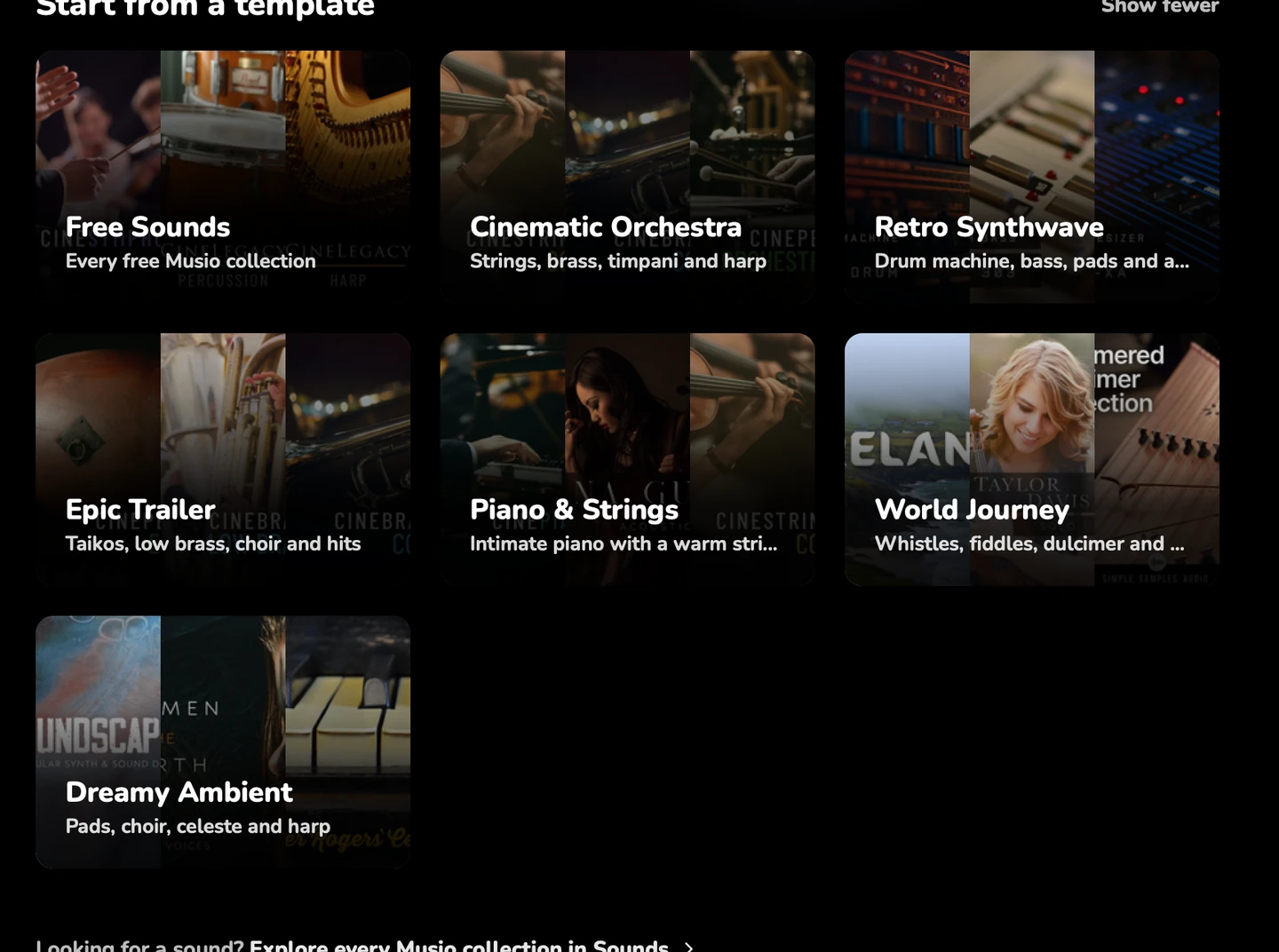
A template is a song with its tracks, sounds, tempo, sections and reverb ready, and no notes. Each template uses the best instruments you own, and prefers ones already on your computer.
| Template | What’s in it | Tempo and key |
|---|---|---|
| Free Sounds | Every free Musio collection | 100 BPM, C major |
| Cinematic Orchestra | Strings, brass, timpani and harp | 90 BPM, D minor |
| Epic Trailer | Taikos, low brass, choir and hits | 120 BPM, C minor |
| Piano & Strings | Intimate piano with a warm string section | 72 BPM, E♭ major |
| Retro Synthwave | Drum machine, bass, pads and a lead | 100 BPM, A minor |
| World Journey | Whistles, fiddles, dulcimer and drums | 96 BPM, D major, 6/8 |
| Dreamy Ambient | Pads, choir, celeste and harp | 70 BPM, F major |
- A template’s badge says what it needs: Free sounds or Musio Complete. Musio Complete members don’t see badges.
- To see every template, choose All templates.
Made with Musio
Made with Musio has finished pieces made in Musio Studio. Press Listen to hear one, or Open to see how it’s made.
- Opening a piece makes your own copy in your songs. Opening it again opens that copy.
- Anyone can listen to a piece. If it uses instruments you don’t own, Studio offers Musio Complete when you open it.
Make your first song
- On Home, choose Blank song, or a template.
- Add a sound. On the Tracks page, choose Add > Musio sound…, or open Sounds (5) and press + Add on a sound. If the sound isn’t on your computer yet, it downloads.
- Play it. Connect a MIDI keyboard, or press K to play notes with your computer keyboard.
- Press R to record into the selected track, and R again to stop.
- Press 3 to see your notes in the Piano Roll, and change any of them.
- Press Cmd+SCtrl+S to save.
- Press Cmd+ECtrl+E to export the song as a WAV file.
Next: The main window shows where everything is.
Updates
Musio Studio, Musio Connect and the Musio plugin share one version number and update together. Updating keeps your sounds, settings and songs.
- When an update is ready, the sidebar says a new version is available. Choose Download.
- To check yourself, choose Musio > Check for Updates….
- What’s new lists every release.