Start from a template.
Seven templates set up the instruments, tempo and room for you. Or start from a blank song.
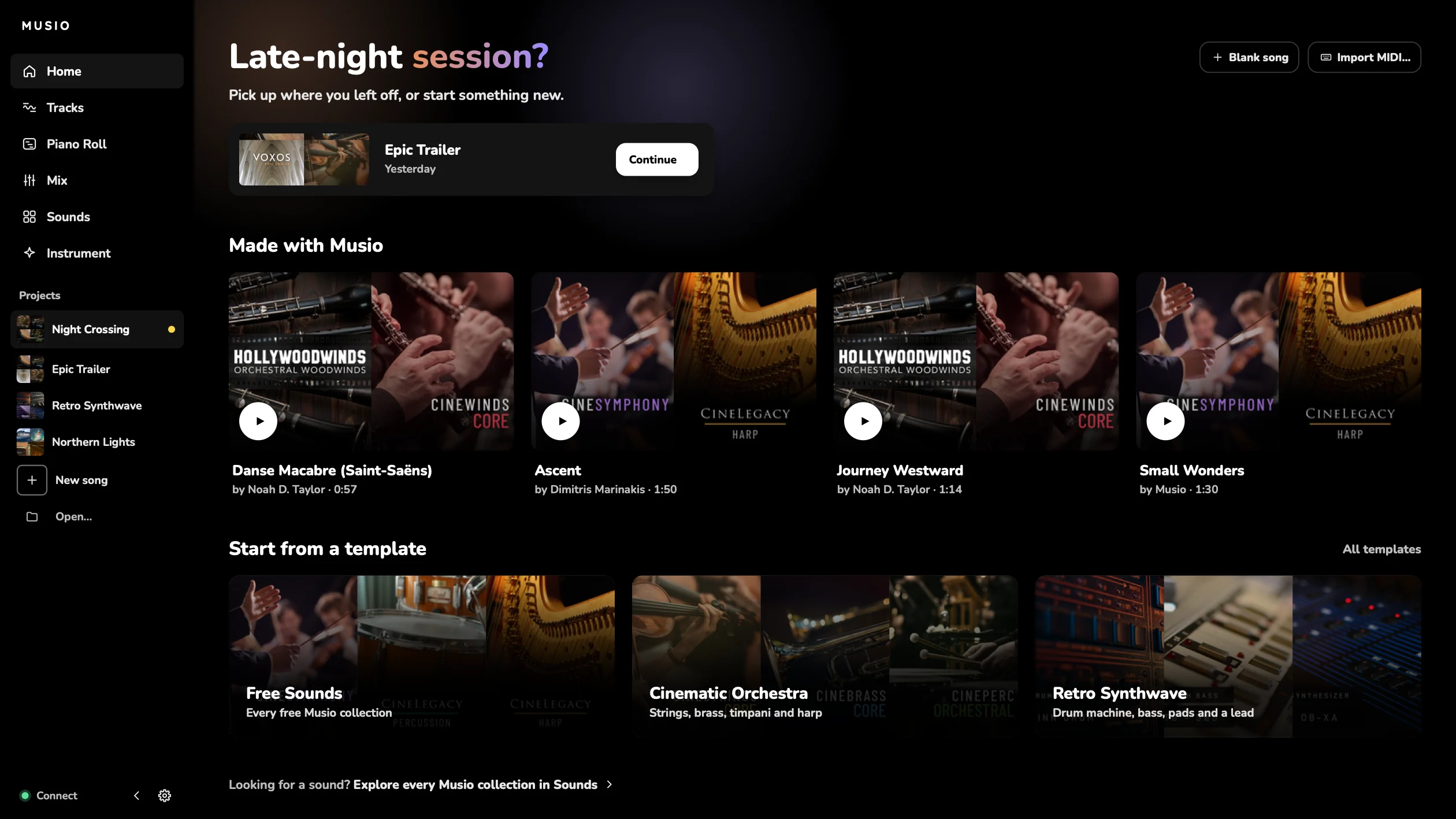
A free app for writing your own music, with thousands of real recorded instruments.
Real orchestras, choirs and soloists, from




Seven templates set up the instruments, tempo and room for you. Or start from a blank song.
Every Musio collection is in the app. Search by name or by feel, like “cello” or “warm”, and play a sound before you add it.
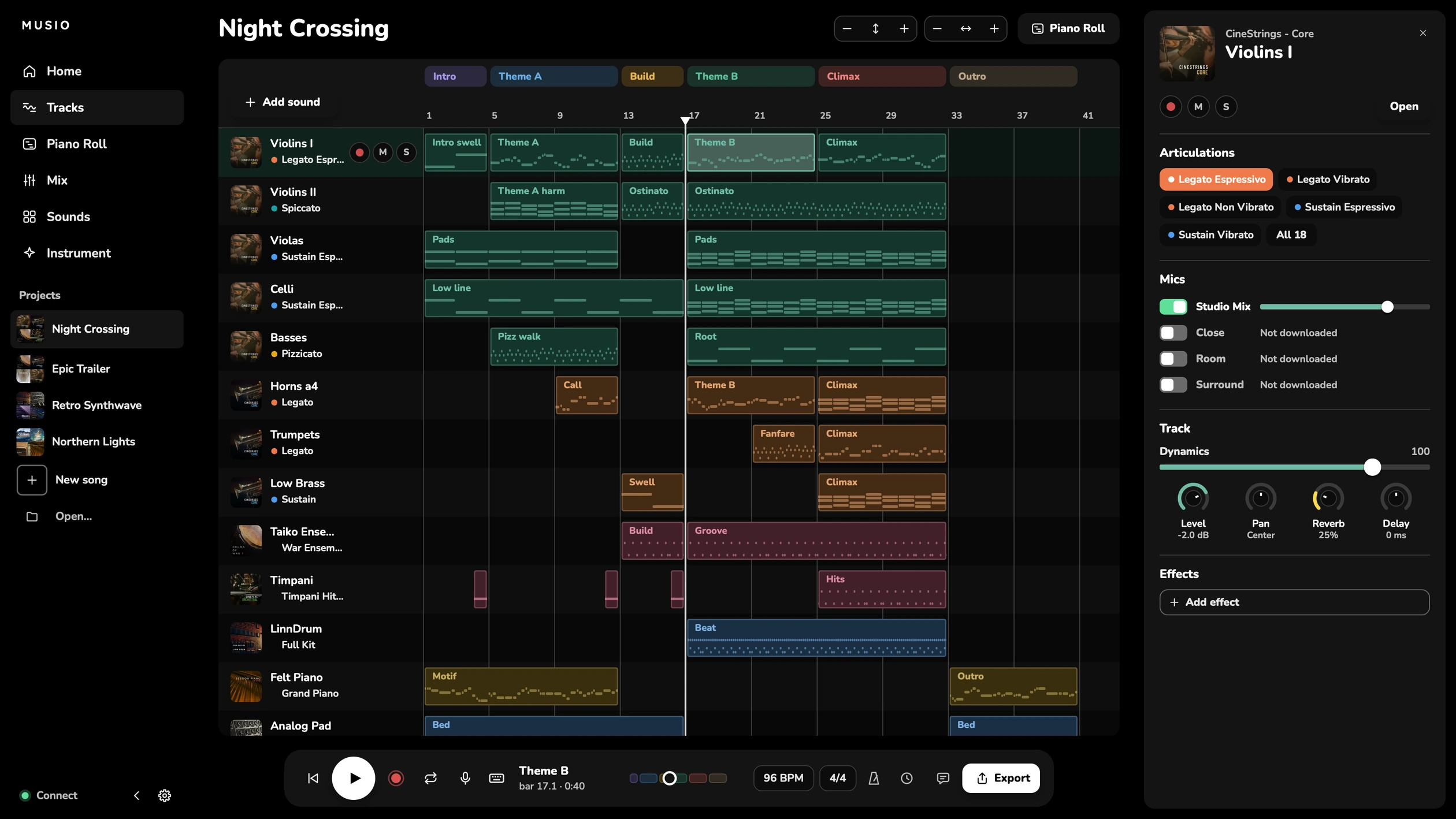
Switch between legato, spiccato, pizzicato and more with a click or a keyswitch. Notes take their articulation’s colour, so you see how a part is played.
Draw dynamics and expression under the notes. No MIDI keyboard? Press K and play your computer keys.
Tracks sit the way an orchestra does. Then put the whole song in one room: Room, Studio, Hall or Cathedral.
Open a video and it plays in sync, placed by its timecode. Press H to mark a hit, and a streamer and punch lead you into it.
Open Score and your song is notation: the full score or any player’s part, kept up to date as you edit and following as it plays. Export PDFs and MusicXML.
Talk to your song while your hands stay on the keys. Studio does what you ask. It won’t write the music for you.
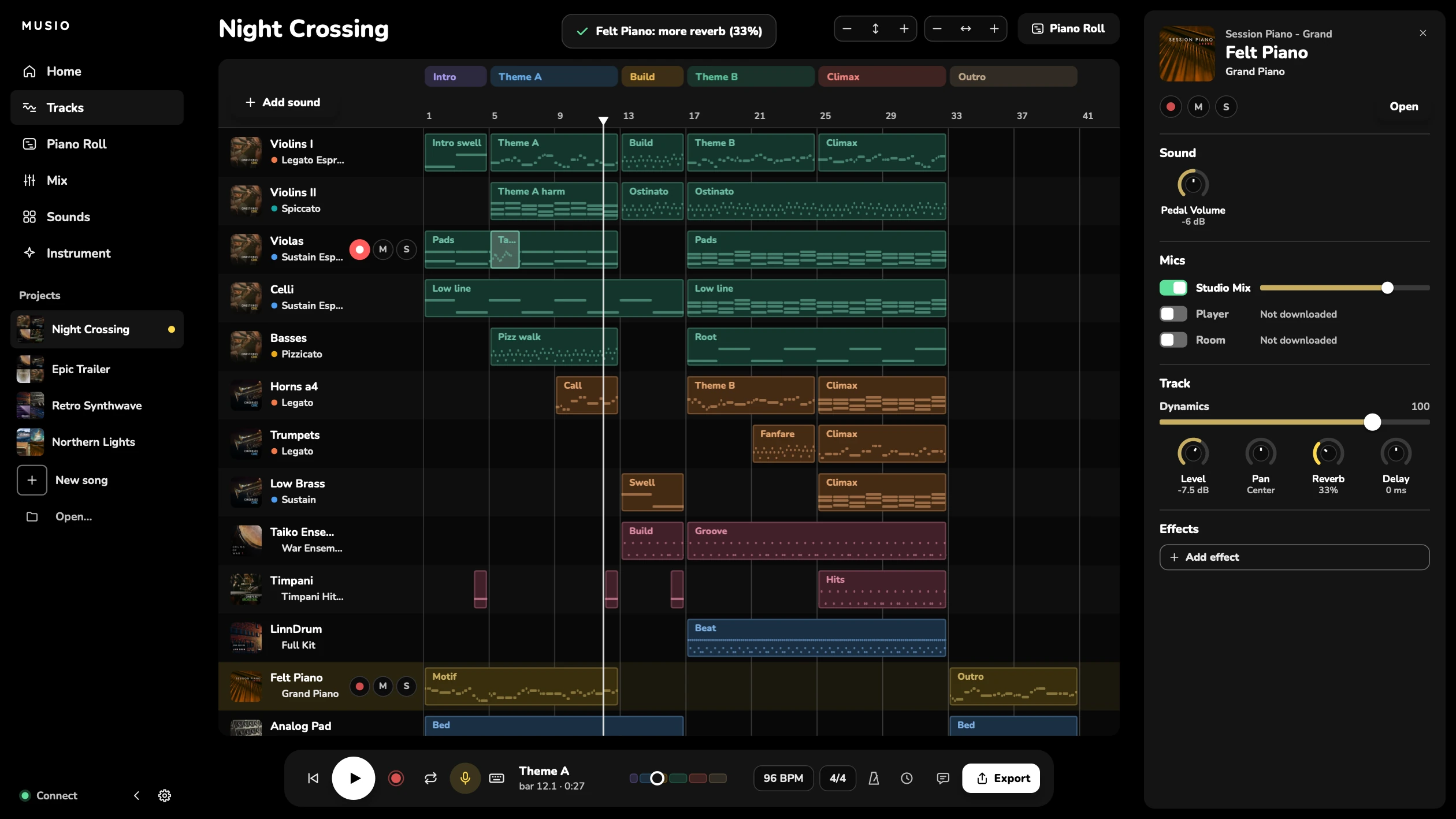
Six minutes with Musio Studio, from talking to it and templates to mastering and scoring to picture.
EQ, Echo, Chorus, Drive and Filter, with 63 presets. Sweeps, wobbles and echoes follow your tempo.
Pick Streaming, Apple Music, TV or Loud, and measure the song. Mastering brings it to that loudness with the peaks kept under the ceiling. A Compressor and De-esser for any track, and a Limiter for the master.
Import a file and every part gets a Musio sound. Missing one? Your nearest sound stands in until you get it.
Intro, theme, build, climax. Name the parts of your song and loop any of them while you write.
MIDI or audio, with a count-in and a metronome.
The song as a WAV or MP3, every track as stems, the notes as MIDI, the score and parts as PDFs, or your video with the music.
Up to 512 tracks, played across every core of your computer.
Songs save as you go. If anything goes wrong, Studio offers your work back.
Sounds download in the background when you ask for them, and you keep playing.
Change tempo and time signature at any bar. Type a bar number to jump straight to it.
Seven themes, eight languages, and sizes from 80% to 125%.
Orchestras, choirs, soloists and instruments from around the world, many recorded on the stages where film music is made. CineStrings was recorded at the MGM Scoring Stage at Sony Pictures Studios.
Written in Musio Studio, note by note. Press play, then open one in Studio to see how it was made.
Write in Musio Studio, or load the same sounds in the DAW you already use. Download a sound once and it’s ready in both.
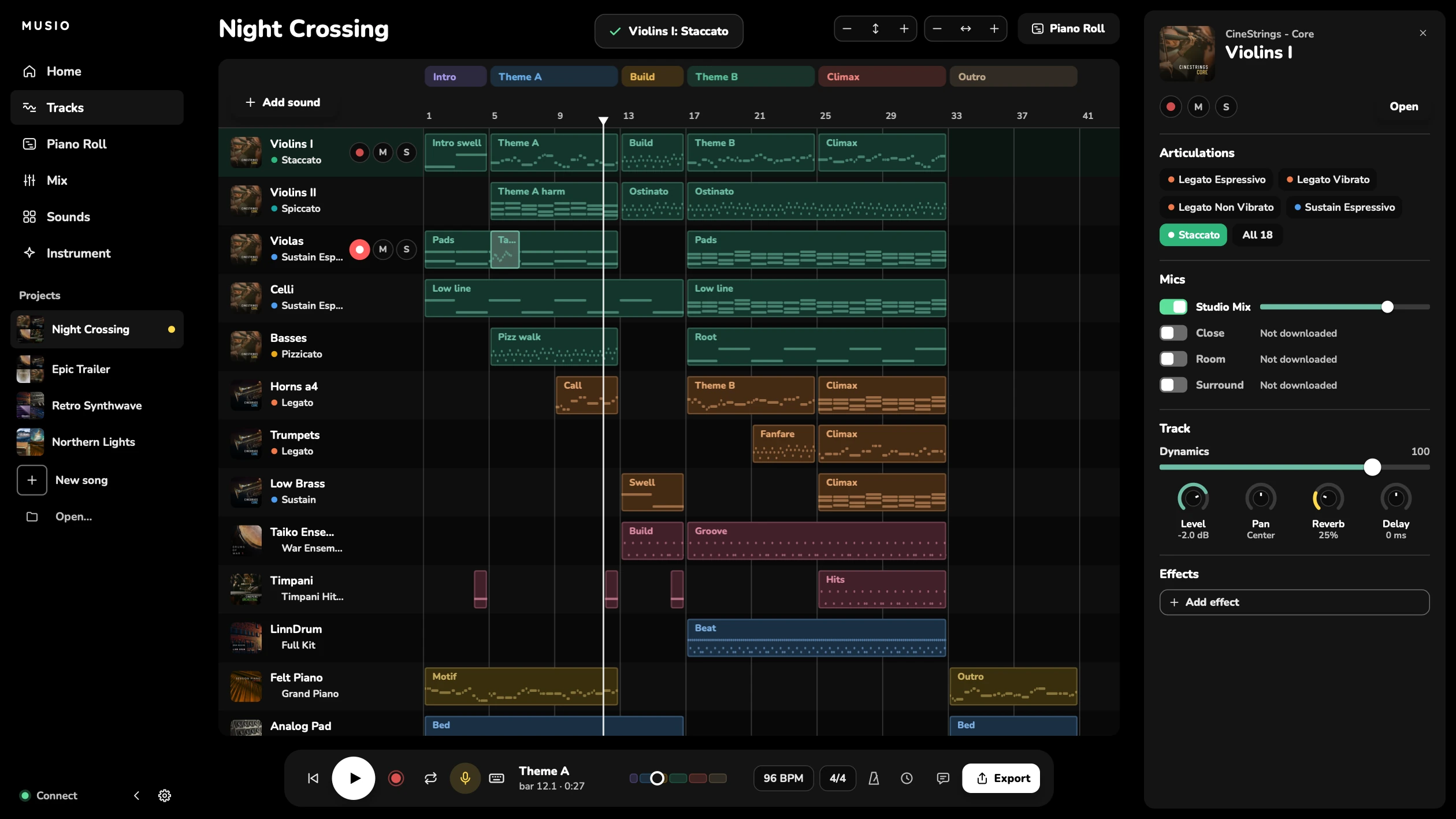
Musio Studio New
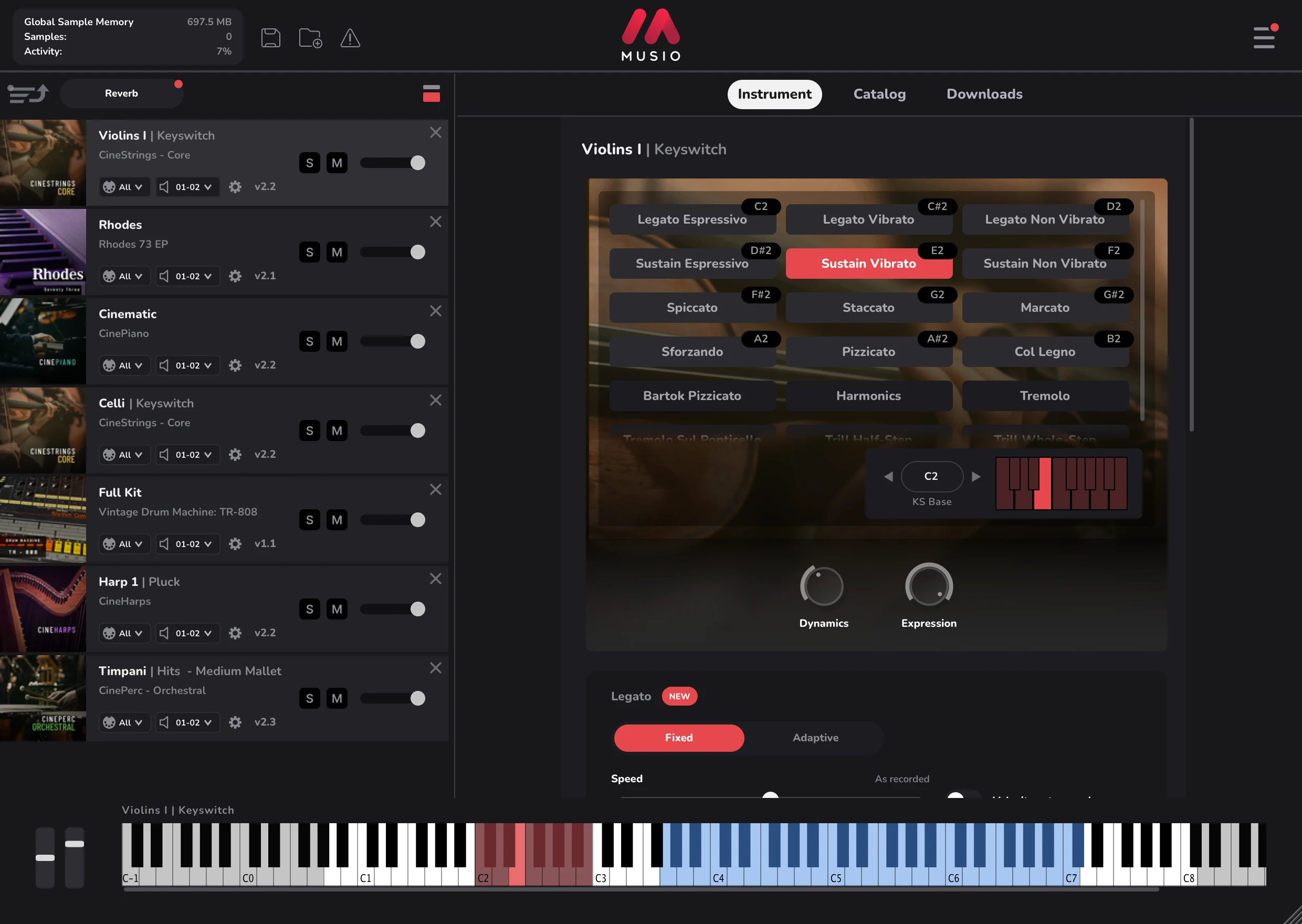
Musio plugin Updated



Both run on Mac Windows Linux
Musio Studio and the free collections cost nothing. Complete opens every sound, in Studio and the plugin.
Free
$0
With a free Musio account.
Complete
$15 /mo
Billed $179 a year.
Save about 5 months vs paying monthly.
“Musio is hands down the best deal around when it comes to orchestral sample libraries.”
“Musio has been indispensable for my composition work. Easy, intuitive UI, quick to pick up.”
“The sound quality is incredible for the CPU and RAM footprint. A no-nonsense approach.”
Musio Studio is built with the people who use it. Join 1,800 musicians on our Discord to share what you’re making, ask questions, and tell us what to build next.
Yes. Download it, sign in with a free Musio account, and the free collections are yours: 21 sounds to start with. Musio Complete unlocks every instrument.
Both play the same sounds. Studio is a complete app for writing, recording, mixing and exporting a song. The plugin puts the sounds inside the DAW you already use. They share one library, so a sound you download is ready in both, and Complete covers both.
No. Voice commands understand what you say, and MIDI import can pick sounds for some parts. Neither one writes music. Every note is yours.
Yes. Drop a video on Tracks and it plays in its own window, in sync, placed by its timecode, at every film and TV frame rate, drop-frame too. Mark hits with H, get streamers and punches into them, and let Studio find a tempo that puts them on the beat. Export the video with your music, or WAVs that land at their timecode in Pro Tools. Studio also sends and follows MIDI Timecode. Mac and Windows play the video themselves. On Linux, and for formats like DNxHD and MXF, Studio uses FFmpeg if you have it installed.
Yes. Open Score (the Score button by Piano Roll, or View > Show Score) and your song is notation, kept up to date as you edit: the full score, in C or transposed, or any player’s part as they read it, like Clarinet in B♭ or Horns in F. Clean Up writes what the notes mean rather than their exact timing, with staccatos, dynamics and hairpins, slurs, clefs and the key. Parts follow film-session conventions: multirests, rehearsal marks, cues, and page turns where the player rests. Export PDFs of the score and every part, or MusicXML, and import MusicXML or MIDI. Step Record (Shift+R) puts notes in a step at a time from a MIDI keyboard or your computer keys.
Yes. Put Mastering on the master, pick Streaming (-14 LUFS), Apple Music (-16), TV (-24) or Loud (-10), and measure the song. Mastering sets the gain to reach that loudness and keeps the peaks under the ceiling, and it stops short rather than flatten a dynamic orchestral mix. There’s a Limiter, Compressor and De-esser too, and every export tells you its loudness.
Mac: macOS 11 or later, Apple silicon or Intel (the Musio plugin alone runs on macOS 10.14). Windows: Windows 10 or later, 64-bit. Linux: 64-bit Linux from 2020 or later, on Intel or AMD. 8 GB of RAM or more, and an SSD for your sounds is best. The Musio plugin is AU, VST3 and AAX on Mac, VST3 and AAX on Windows, and VST3 on Linux, and there’s a standalone app. The download page has the full list.
Yes. The plugin’s new look doesn’t change anything in your sessions.
It depends on what you install. Sounds download only when you ask for them, from under 1 GB to about 30 GB for the largest collection.
No. Musio plays its own instruments. You don’t need Kontakt or any other sample player.
Something else? Write to us. Someone on the Musio team writes back.